Browser extension · Free to start
Remove background from any website
Select an area on any website and remove its background as a transparent PNG. Place the subject on white, or describe a new scene, without leaving the page.
- Powerful AI insidePowered by ChatGPT Image 2
- Refund guaranteeDon't like it? We'll refund your payment
- Not just a cropCreate a custom scene
How it works
Three steps, on the page you are viewing
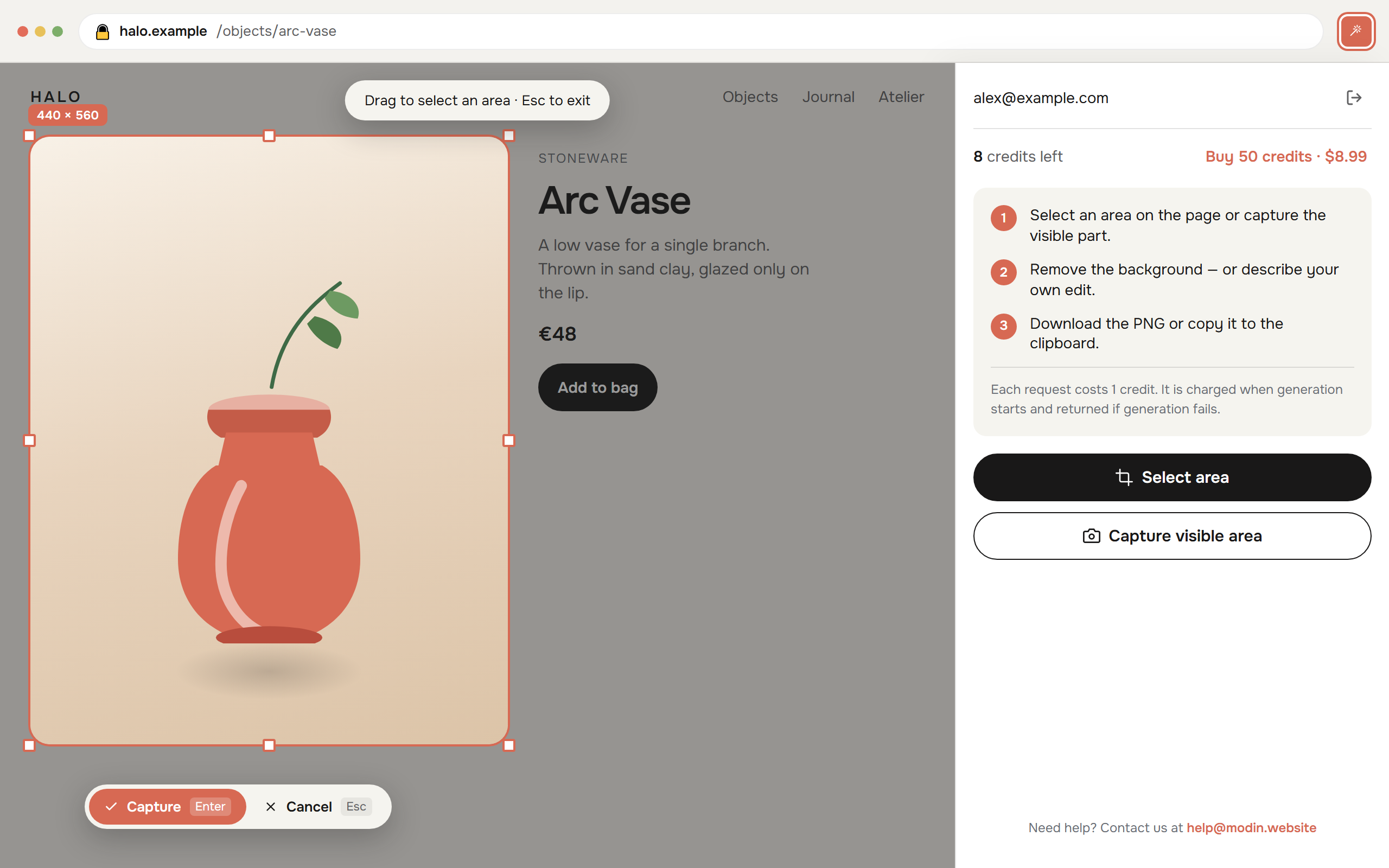
Open the extension from the toolbar. The side panel stays beside the site while you draw the box.
- 01SelectSelect an area on the page, or capture the visible part.
- 02Cut outRemove the background, or describe your own edit.
- 03Keep itDownload the PNG or copy it to the clipboard.
The panel
Same subject. A clean start.
Drag the slider to see the original image on the left and the background removed on the right.


FAQ
Questions
About payments and refunds
Loading the current credit pack…
Sign in with the same Google account you use in the extension. When you choose Buy credits, you will be redirected to the Lava.top payment page to complete your purchase. Check the amount and currency before paying. Credits are added to your account once payment is verified; returning from checkout alone does not confirm payment.
Eligible new accounts receive 3 free trial credits. Free credits are used first and have no cash value. To request a refund of unused purchased credits, open your account menu and choose Request refund. You will see the remaining paid credits and their proportional value for each payment before confirming. Used credits are excluded.
All credit use and new purchases are paused while your refund request is reviewed. Requests are reviewed manually. Approved refunds are issued through Lava.top to the original payment method. Processing time depends on Lava.top and your bank. Mandatory consumer rights remain unaffected.
Credits restored after failed image processing are separate from a payment refund. For help, contact help@modin.website with your account email and payment or refund reference.
What is Remove Background from Website?
It is a Chrome extension that cuts a subject out of the page you are already viewing. Select an area or capture the visible part of the page, then download a transparent PNG or copy it, without leaving the tab.
Is it free?
Eligible new accounts receive starter credits. Processing uses credits; failed processing returns the credits for that request. Sign in on this website to see the current pack and buy credits through Lava.top. Use the same Google account in the extension.
Which browsers are supported?
Chrome, Microsoft Edge, and other Chromium browsers that open a side panel. Use it on a regular website, including localhost. Browsers block extensions on their own settings pages and on the extension store.
How do I remove a background?
Open the side panel on the page, choose Select area and draw a box, or choose Capture visible area. Then choose Remove background. Crop if you need to, and download the PNG or copy it.
Can I replace the background instead of only removing it?
Yes. Custom edit takes a short description: a pure white backdrop, a soft blur, a shadow under the subject, warmer light, or a scene in your own words.
Does it work when the picture is not an image file?
Yes. It captures pixels from the page, so it works on a product photo in a shop layout, a banner, a logo on a colored field, or only part of a larger image.
Can I use it on localhost?
Yes. It works on localhost and on any regular website you can open in the browser.
What leaves my computer?
Selected images are sent to our service for processing. Your email identifies your account and credit balance. We do not sell your data, share it for advertising, or send spam. If you buy credits, your email is shared with Lava.top only to create your payment. Recent results stay in the browser until you close it.
What if processing fails?
The credit for that request is returned. You can try the same area again, or select a smaller one if the image was too large.
Cut the subject out of the page
Open it on a product photo, a banner, or a logo, and leave with a transparent PNG.